Problem
Videos with a high bit rate can have intermittent and even persistent buffering for viewers during playback.
Solution
High bit rate videos can be re-encoded to a lower bit rate. Try one of the following options to re-encode your video to a lower bit rate. Screencast maximum allowed is 4.0 Mbps.
Use Handbrake to Re-encode the video
- Download and install Handbrake.
-
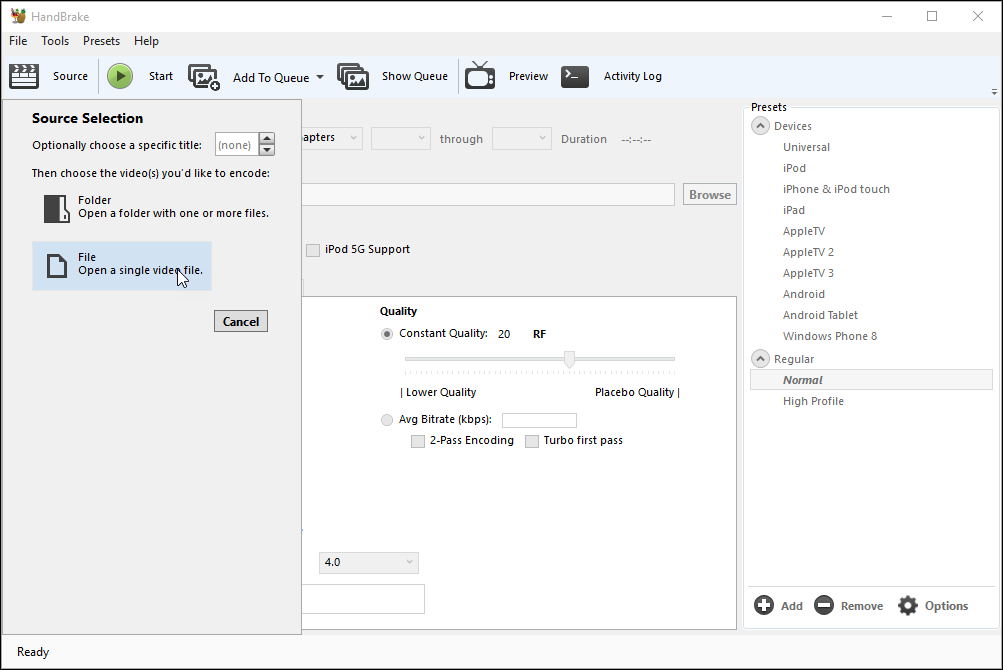
Open Handbrake and click Source > File to select the video to re-encode.
-
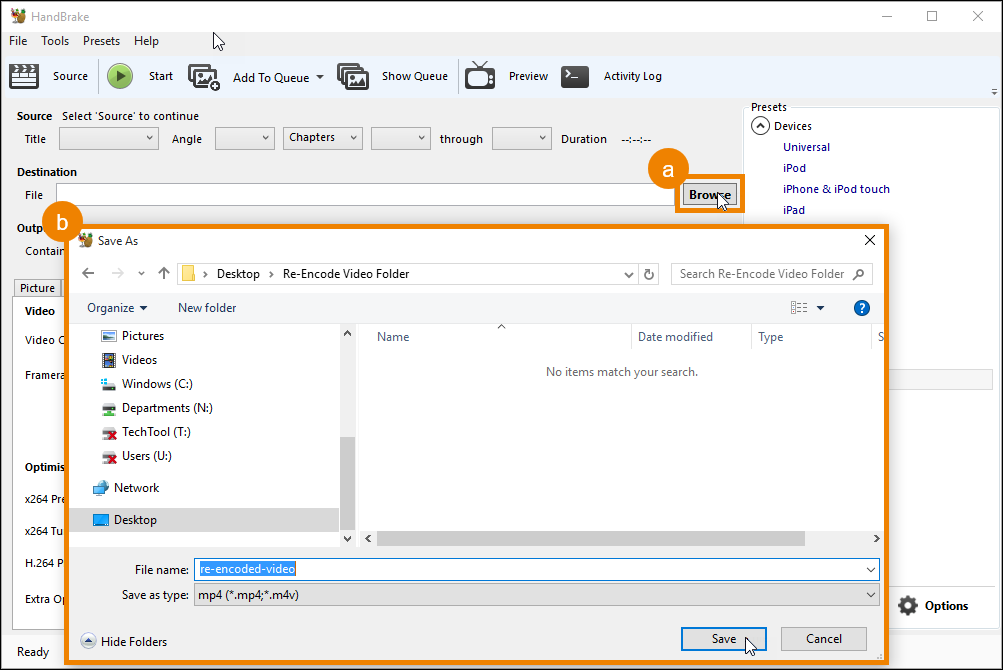
In the Destination section (a) click Browse and (b) select a destination for the new file, give it a name, and click Save.
-
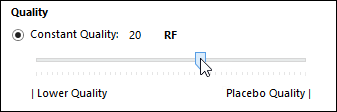
In the Video tab set the Constant Quality slider between 18-24.
-
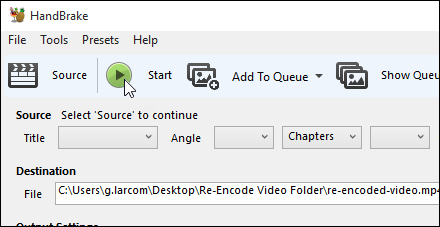
Click Start to begin the encoding process.
- When Handbrake finishes encoding the video, upload it to Screencast.