If you purchased a new Business License subscription from TechSmith's online store after January 14, 2025, you can add additional users to your subscription:
Camtasia Business (includes Snagit access)
Snagit Business
- If you need a quote or would like to use a Purchase Order, please contact our Sales team.
- If you do not need a quote and would like to make a purchase with a credit card, you can add additional users online in your TechSmith account (see the steps below ⬇️).
- If you prefer to order via reseller, please contact your preferred reseller or contact one from our list online: TechSmith Resellers.
To add users for your Business License online:
- Visit manage.techsmith.com and sign in to your TechSmith account.
-
On the Dashboard, select Add seats.
Not seeing the option to add seats?
- Individual Subscription: it's not possible to purchase additional seats as these subscriptions are for single users only.
- Legacy License Subscription (formerly maintenance agreement): see this support article.
- Add seats to your subscription in New total seats. For example, if you have 6 seats and need 2 additional ones, enter 8.
- Click Proceed to view the order summary.
- You can view the total prorated price for the added seats, including taxes (you will be charged only for the time that remains until the current subscription end date). Click Purchase seats.
- Copy and share the software key that you already have with the new end users.
If you've purchased additional Camtasia seats, the same key can be used to unlock both Camtasia and Snagit.
Didn’t receive an invoice at your TechSmith email address? Go to the History tab to get a copy of the invoice.
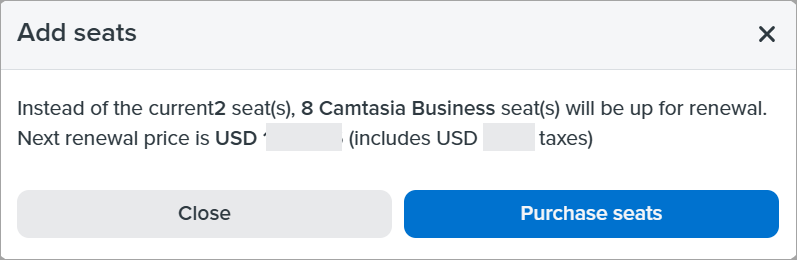
If you're adding seats within 15 days before renewal, you won't be charged now – the price for the added seats will be added to the renewal price of your current seats. On the renewal date, the total for both previously purchased and the newly added seats will be charged together in one invoice.